Pageview
A user loaded a route such as pricing, docs, or the dashboard.
Event analytics
Event analytics explains what named product actions mean when they are reviewed with properties, identity, sequence, funnels, sessions, and user journeys. Vectr4 provides that focused analysis on a customer-operated analytics stack.
01
Event tracking records that an action happened. Event analytics interprets the resulting data: how often the action appears, which context came with it, where it sits in a sequence, and what users did before or after it.
This page owns the analysis intent. For SDK initialization, event collection, identity, properties, and batching, use the event tracking implementation page.
02
Pageviews provide useful navigation context. Named product events provide business and workflow meaning. A strong event plan uses both without treating every browser interaction as equally important.
A user loaded a route such as pricing, docs, or the dashboard.
A user completed a meaningful action such as creating a workspace or starting checkout.
03
signup_submitted and workspace_created.Vectr4 example
project_created { plan: "starter", source: "onboarding" }
04
An event name says what happened. Properties add bounded context. Identity connects authenticated activity to an internal user ID so the same action can be understood within a session or user journey.
Do not send secrets, passwords, payment details, or unbounded sensitive text as properties. A useful event payload is intentionally small and documented.
05
Continue to user behavior analytics when the main question is how people move through the product.
Measure progress through an expected ordered sequence.
Review event activity within a visit and its timing context.
Follow paths across the product for an identified user.
Interpret patterns without claiming that correlation proves cause.
06
Start with one activation or conversion workflow and instrument only the events needed to explain it. Validate each payload in the dashboard, then connect the steps into a funnel and inspect the surrounding sessions.
This produces useful analysis faster than starting with a large taxonomy that nobody verifies.
Vectr4 example
landing_viewed → demo_opened → signup_submitted → workspace_created → install_started
07
Vectr4 receives browser activity through the services in its Docker Compose deployment and provides product views for events, funnels, sessions, and journeys. Your team controls the deployment and remains responsible for operations and data-handling choices.
Review the broader product analytics category, compare product analytics tools, or read about self-hosted product analytics.
Product proof
The hosted demo shows the same focused workflow described on these pages: captured events, funnel steps, session activity, and user paths. The values shown in marketing previews are illustrative, not customer benchmarks.
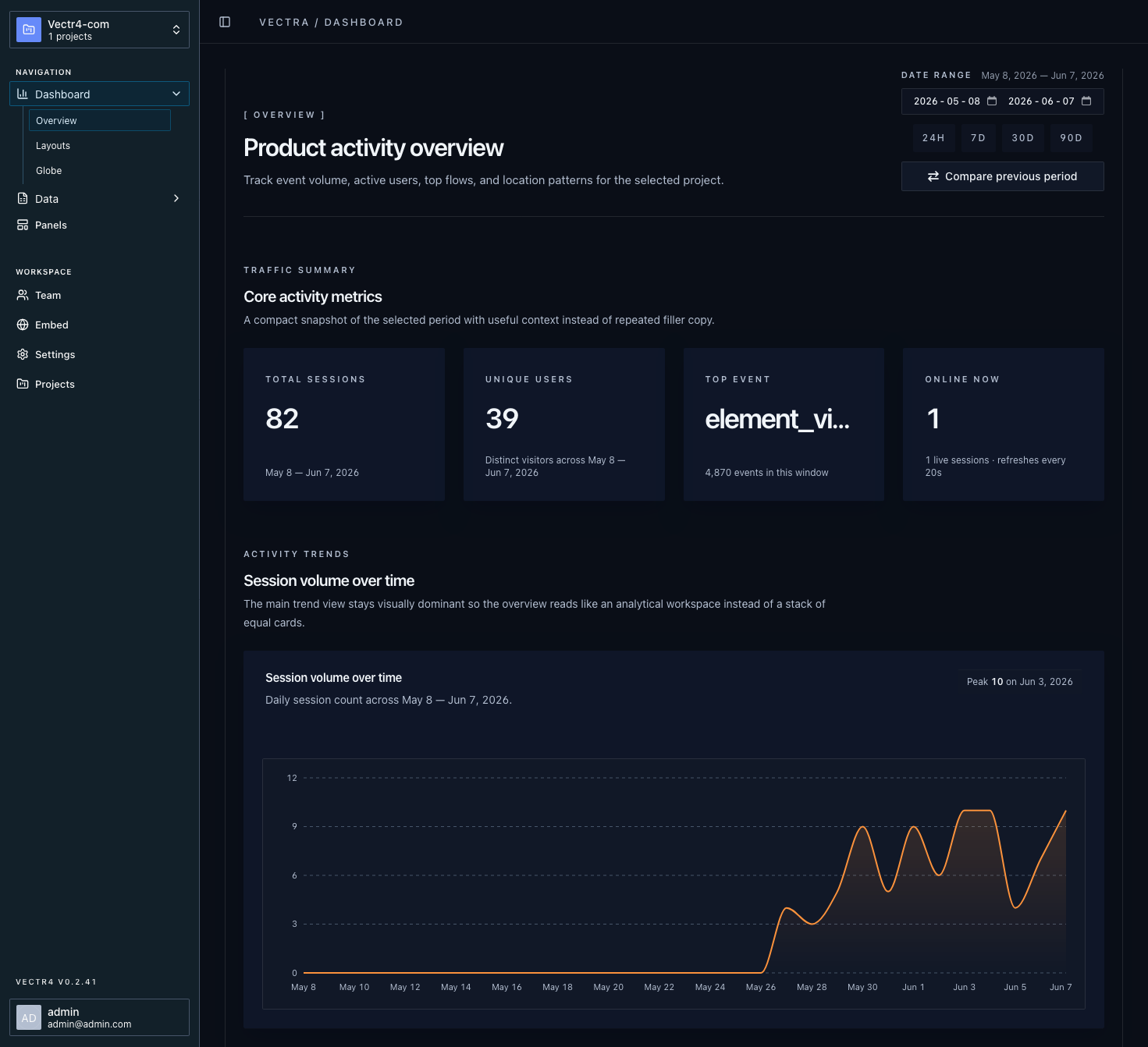
Review named product actions and the context sent with them.
Connect ordered events to see progress and drop-off between steps.
Group activity into visits so isolated actions have sequence and timing.
Follow the paths users take through your product over time.
FAQ