Self-hosted product analytics
Run product analytics inside your own stack
Use Vectr4 to collect events, funnels, sessions, and user journeys from a deployment you control instead of relying on a cloud-only analytics service.
Self-hosted product analytics for indie hackers
Product analytics you run on your own VPS: events, funnels, sessions, and user journeys without sending customer data to another analytics platform.
Deploy on your VPS in minutes using Docker Compose.
analytics.example.com / last 7 days
Total users
12,847
+18.4%
Events
84,391
2.1k today
Funnel
38.6%
visit → signup
Funnel conversion
1,942 / 5,031 completed
Recent sessions
live stream
Self-hosted analytics overview
Vectr4 is self-hosted product analytics for founders who want to understand product usage without shipping every event to another analytics platform.
Self-hosted product analytics
Use Vectr4 to collect events, funnels, sessions, and user journeys from a deployment you control instead of relying on a cloud-only analytics service.
Why not just use PostHog?
PostHog is powerful, but indie founders can hit pricing, data-policy, or deployment constraints. Vectr4 keeps the analytics footprint smaller and self-hosted.
Analytics for indie hackers and small SaaS teams
Track product behavior, demo usage, signups, checkout paths, and activation journeys without adopting an enterprise analytics suite too early.
Deploy analytics on your own VPS
The V1 package is designed for Docker Compose on a VPS, so your analytics dashboard, event ingestion, and configuration live on your infrastructure.
Keep product data under your control
Vectr4 gives founders a practical way to keep product analytics, customer event data, and usage signals under their own deployment instead of adding another third-party data destination.
Product preview
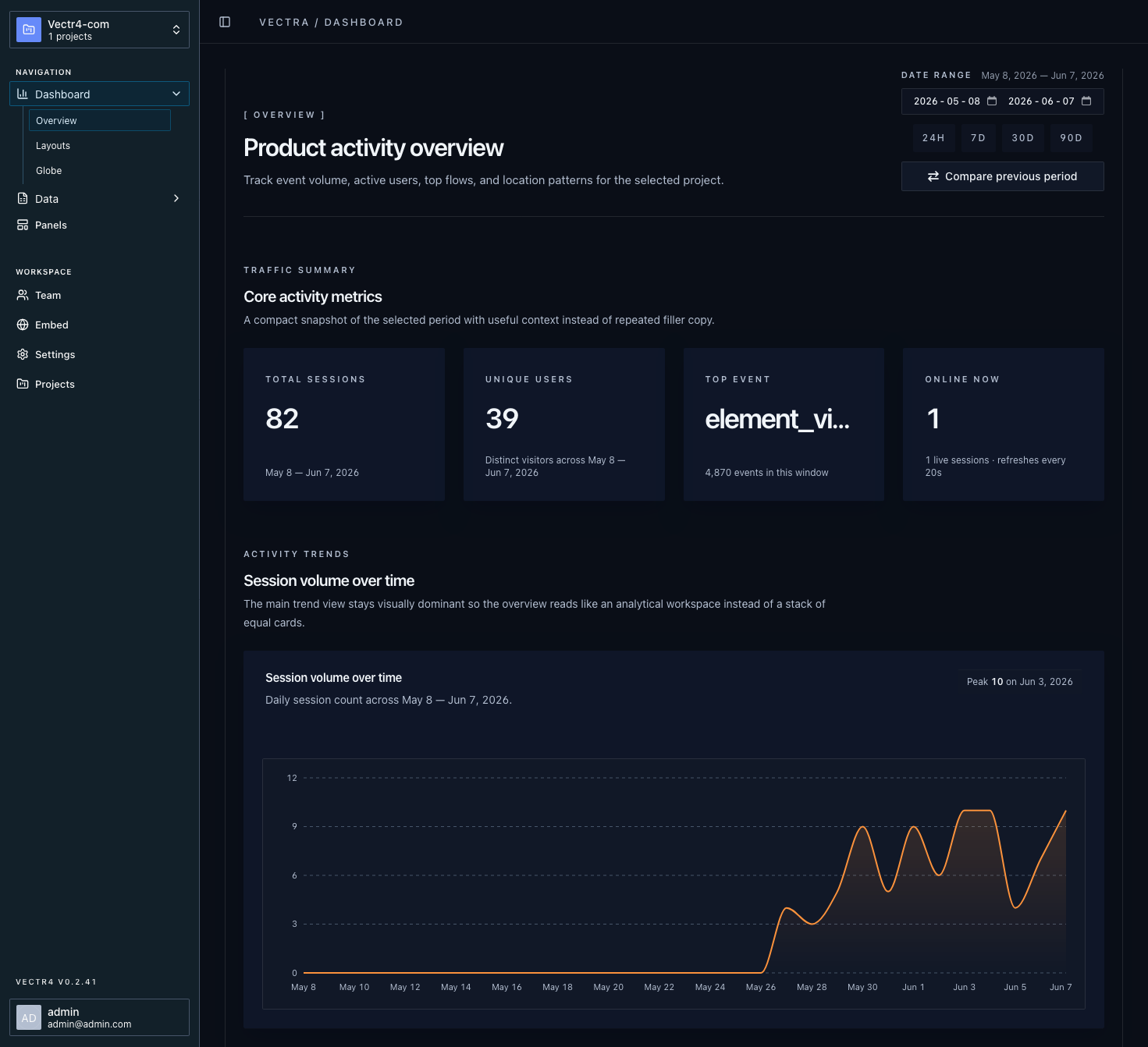
A real Vectr4 dashboard running after deployment: events, funnels, sessions, and user paths in one self-hosted workspace.
Event tracking
See custom events, activation steps, and top product activity as users move through your app.
Funnel analysis
Measure conversion from visit to demo, signup, checkout, or install.
Session summaries
Review session volume, live activity, and behavior changes over time.
User journeys
Follow paths across docs, demo, pricing, checkout, and dashboard views.
The problem
Vectr4 is built for technical founders who want useful product signals without sending every event to another vendor or buying an enterprise analytics suite.
Problem
Consequence
A launch, bot spike, or growth week can turn basic analytics into a budget decision.
Vectr4 solution
Vectr4 runs on your VPS with predictable server costs.
Problem
Consequence
Every event payload becomes another vendor, policy review, and data-processing concern.
Vectr4 solution
Vectr4 keeps event collection and dashboards inside your own deployment.
Problem
Consequence
Founders pay for seats, governance, and sales-led tiers before they need them.
Vectr4 solution
Vectr4 focuses on events, funnels, sessions, and journeys for early teams.
Ideal customer profile
Small technical teams that want product analytics without outsourcing the data layer.
SaaS Founders
Track product usage without cloud lock-in.
Agencies
Run analytics for clients on infrastructure you control.
Indie Hackers
Own your analytics stack from day one.
Privacy-Conscious Teams
Keep customer data on your own servers.
How it works
Review the dashboard, event stream, funnels, sessions, and deployment model before you commit.
Use the live demo to inspect the product experience before purchasing a self-hosted deployment.
After checkout, generate your deployment ZIP and run Vectr4 on infrastructure you control.
Start with the demo. Purchase only after the product flow makes sense for your stack.
Try DemoFeature matrix
A focused V1 feature map grouped by what founders need to evaluate first: analytics, deployment, and access control.
Try DemoAnalytics
Understand what users do after the tracking script is live.
Capture pageviews, custom events, identify calls, referrers, URLs, and properties.
Measure conversion paths across visits, demos, signups, checkout, and install steps.
Review session-level activity and summarize behavior over time.
Follow paths across docs, demo, pricing, checkout, and dashboard views.
Deployment
Run the analytics stack on infrastructure you control.
Deploy Caddy, PostgreSQL, ClickHouse, Redis, API, and web services together.
Use a low-resource single-server setup suitable for small VPS deployments.
Set the app URL and allowed domain for the site you want to track.
Access & Management
Control who can access the dashboard and integrations.
Seed the first admin account during deployment and manage the workspace.
Invite read-only collaborators without exposing infrastructure credentials.
FAQ
Included with V1
A practical deployment package for running Vectr4 yourself. No vague onboarding promise; just the files, docs, and product pieces needed to get started.